The experience
Navigation & menusनेविगेशन और मेन्यू
How KaryaYogi moves — the bottom tabs, the Tools shelf, the header actions and the More menu.कार्ययोगी कैसे चलता है — बॉटम टैब, टूल्स शेल्फ़, हेडर क्रियाएँ और More मेन्यू।
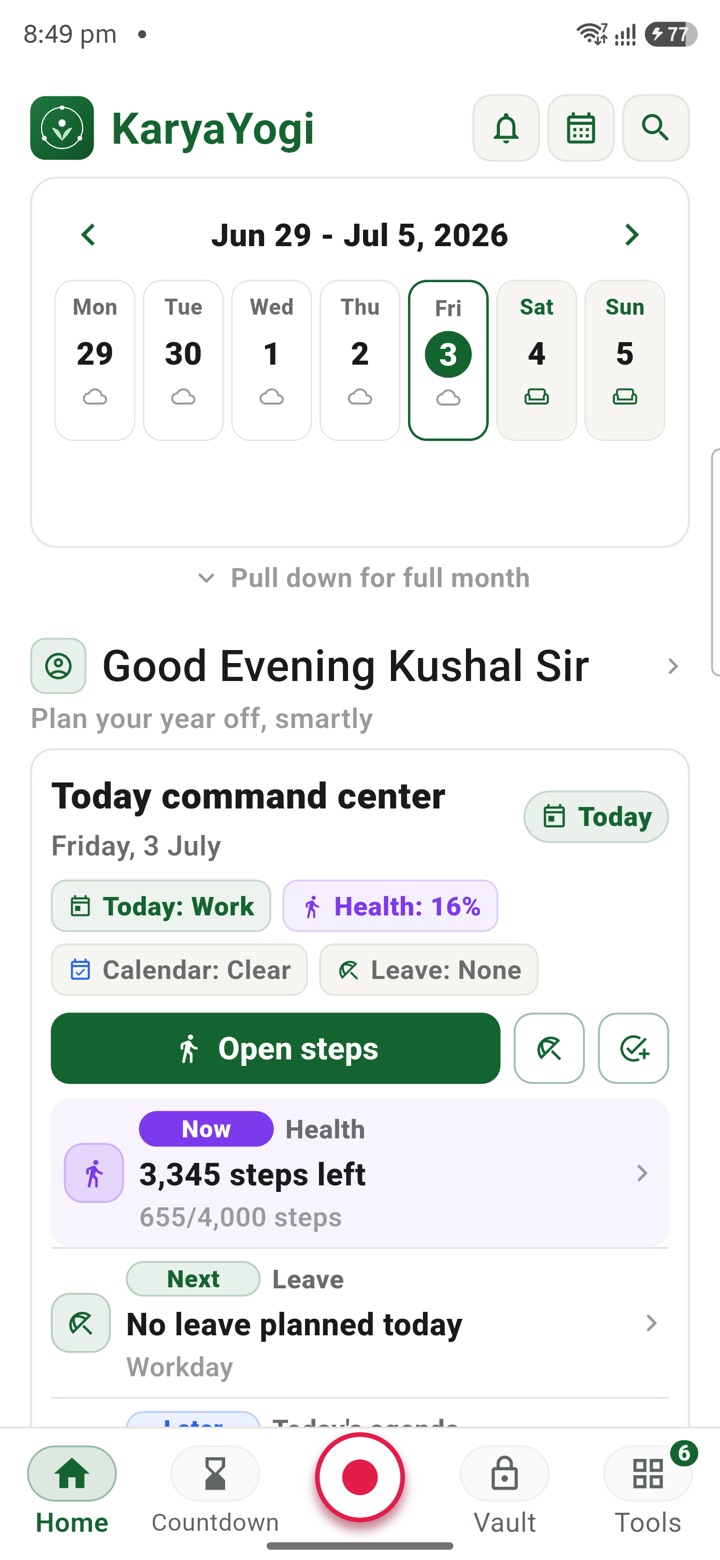
Bottom tab bar
Five tabs hold the ground floor
The bar along the bottom of the screen is the app's spine. It carries five fixed tabs: Home, Leave, Trips, Tasks and Tools. Each one is a single tap from anywhere, and the active tab is highlighted so you always know where you are.
Home opens on your week and a command centre for the day. Leave, Trips and Tasks jump straight to those working areas. Tools opens the full shelf of planning tools. Because the bar never changes position or order, the muscle memory holds day to day.
- Home, Leave, Trips, Tasks, Tools — always in the same order
- Every primary area is one tap, from any screen
- The current tab is highlighted so you never lose your place
- Tools work with the SIM removed; the bar behaves the same offline
Tools shelf
A shelf that puts your usual tools on top
Tapping Tools opens the shelf. A Frequently used row sits near the top with quick-launch chips for the tools you reach for most, so a second tap lands you inside them. Below that, larger tool cards describe what each one does — Tasks, Notes, Voice Notes, Calculator and the rest — each marked as a private planning tool.
The Frequently used row and the Most used sort are driven by how you actually use the app, not by manual setup. A control at the top lets you re-sort the shelf, and a card shows how many tools are switched on with an option to request more.
- Frequently used chips reach your top tools in a second tap
- A Most used control re-sorts the shelf to match your habits
- Each card names the tool and what it plans; all output stays private
- The order reflects usage — it is not a manual pin list
Header actions
Notifications, calendar and search across the top
The header changes with the screen you are on. On Home it carries three round buttons beside the KaryaYogi mark: notifications, a calendar jump, and search. Search is the fastest route to a specific tool or entry — type the name and open it directly, which beats browsing when you already know what you want.
On the Tools screen the header shows search alongside the Settings gear, so you can filter the shelf or open preferences without leaving the page. The actions on offer match what that screen can do, rather than crowding every icon onto every view.
- Home header: notifications, calendar and search
- Search jumps straight to any named tool or entry
- Tools header pairs search with the Settings gear
- Header buttons are context-aware, not identical on every screen
Settings and the tools tray
The gear and the tray reach everything else
The Settings gear in the header is the single door to app-wide controls — appearance and language, app lock, backup, sync and the privacy and legal pages. It is deliberately one consistent place, so nothing important hides in a submenu you have to hunt for.
For the full catalogue, pull up the Tools tray at the bottom of the shelf. Closed, it stays out of the way; open it and the complete grid of tools appears, laid out as labelled icons you can scan and open. Between the tabs, the shelf, search and the tray, your primary areas are one tap, your usual tools are two, and the tray and search reach the rest of the catalogue by name.
- The gear centralises appearance, app lock, backup, sync and legal pages
- The Tools tray expands to the full labelled tool grid
- Primary areas: one tap; frequent tools: two taps
- Search and the tray reach every tool in the catalogue by name
Carry your desk in your pocketअपनी डेस्क, अपनी जेब में
The Android APK below is the legacy direct-download edition. Use it only for an installation originally obtained from this website. Google Play and iOS releases follow separate testing and review tracks.
नीचे दिया गया Android APK पुराना सीधे डाउनलोड वाला संस्करण है। इसे केवल उसी इंस्टॉलेशन के लिए उपयोग करें जो इस वेबसाइट से लिया गया था। Google Play और iOS रिलीज़ की अलग परीक्षण और समीक्षा प्रक्रिया है।
Legacy package in.karyayogi.app · v1.55.59 (8195) · 144 MB · Android 8.0+