The experience
Search across every toolहर टूल में खोज
One search box over all tools — type 'DA' or 'LTC' and land in the right screen.सभी सभी टूल पर एक खोज — 'DA' या 'LTC' टाइप करें और सही स्क्रीन पर पहुँचें।
How it works
One search box over the whole toolset
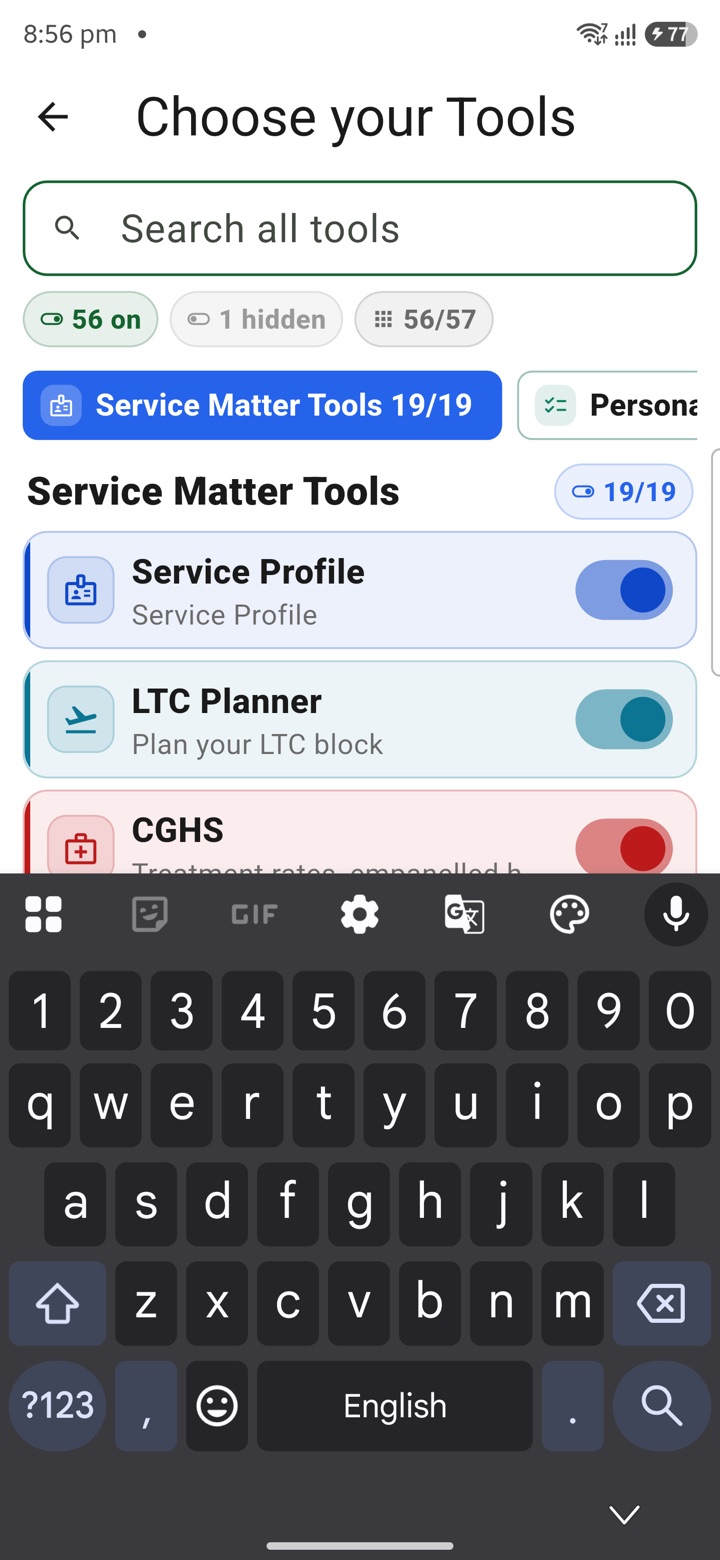
The Tools tab opens on the full tool grid, grouped by area of work. At the top sits a single search box. Start typing and the grid narrows in real time to the tools that match, so you never scroll through categories you do not need.
The match runs across three things at once: the tool's full name, its short code, and its one-line subtitle. So a search for pay reaches every tool that mentions pay in any of those fields, not just the one with pay in its title. When one clear match remains, you are a single tap from opening it.
Search runs entirely on the device. It reads the catalogue already stored in the app, so results appear with the SIM removed and no network connection.
- Filters all tools as you type, live
- Reads across name, code and subtitle in one pass
- Works fully offline, on-device
- No account needed to search or open a tool
Codes and shortcuts
Type DA, LTC or APAR and land in the tool
Every tool carries a short code that officers already use in daily work. Typing that code takes you straight to the tool. DA reaches the dearness-allowance planner, LTC the leave-travel-concession helper, APAR the appraisal note tool. You do not need to remember the tool's formal product name.
Because the subtitle is searched too, plain words work just as well as codes. Search for leave, holiday or transfer and the matching tools surface together, even when the word sits in the description rather than the title.
- Short codes jump to the exact tool
- DA, LTC, APAR and similar shortcuts are recognised
- Plain-word searches match subtitles, not just titles
- No need to recall the formal tool name
Aliases
The words you use, not only the official label
Officers name the same task in different ways. The subtitle for each tool is written to carry the everyday words alongside the formal ones, so a familiar term still finds the right tool even when it is not in the headline name.
When more than one tool fits your search, all of them stay on screen so you can pick. The grid keeps its area-of-work grouping while filtered, which keeps related tools visible together instead of forcing an exact-match guess.
- Everyday terms reach tools by their subtitle
- Multiple matches stay visible for you to choose
- Area-of-work grouping is preserved while filtering
- Reduces guessing at the one right keyword
What it does not do
A finder, not a filing system
Search only helps you reach a tool faster. It does not send, submit or file anything. Every tool it opens produces private drafts and estimates that stay on your device unless you choose to export or sync them.
KaryaYogi is a private planning app for your own use. It is not an official Government of India system and does not connect to eOffice, HRMS, APAR portals or any authorised record. The DA, LTC and APAR tools help you plan and prepare; the official action still happens in the sanctioned system.
Anything you type into the search box is handled locally under the app's AES-256 vault and app lock. It is not logged to a server or shared.
- Search opens tools; it never submits or files
- Tools produce private drafts and estimates only
- Not linked to eOffice, HRMS or any official portal
- Search input stays on-device under the local vault
Carry your desk in your pocketअपनी डेस्क, अपनी जेब में
The Android APK below is the legacy direct-download edition. Use it only for an installation originally obtained from this website. Google Play and iOS releases follow separate testing and review tracks.
नीचे दिया गया Android APK पुराना सीधे डाउनलोड वाला संस्करण है। इसे केवल उसी इंस्टॉलेशन के लिए उपयोग करें जो इस वेबसाइट से लिया गया था। Google Play और iOS रिलीज़ की अलग परीक्षण और समीक्षा प्रक्रिया है।
Legacy package in.karyayogi.app · v1.55.59 (8195) · 144 MB · Android 8.0+