The experience
The swipe-up bottom trayस्वाइप-अप बॉटम ट्रे
Pin the six tools you actually use to a tray that's one swipe away from anywhere.जो छह टूल आप असल में इस्तेमाल करते हैं, उन्हें एक स्वाइप दूर ट्रे में पिन करें।
What it is
One tray, six tools, reachable from anywhere
The swipe-up tray sits at the bottom of every KaryaYogi screen. Swipe up from the bottom edge and it opens over whatever you were doing, so you can jump to a pinned tool without hunting through the full grid or losing your place.
You choose what goes in it. The tray holds up to six tools at once. These are the tools you reach for many times a day, kept a single swipe away instead of several taps deep in the catalogue.
- Opens with a swipe from the bottom edge on any screen
- Holds up to six pinned tools
- Overlays your current screen, then closes back to it
- Works with the SIM removed, like the rest of the app
How pinning works
Pin, reorder, unpin — in your control
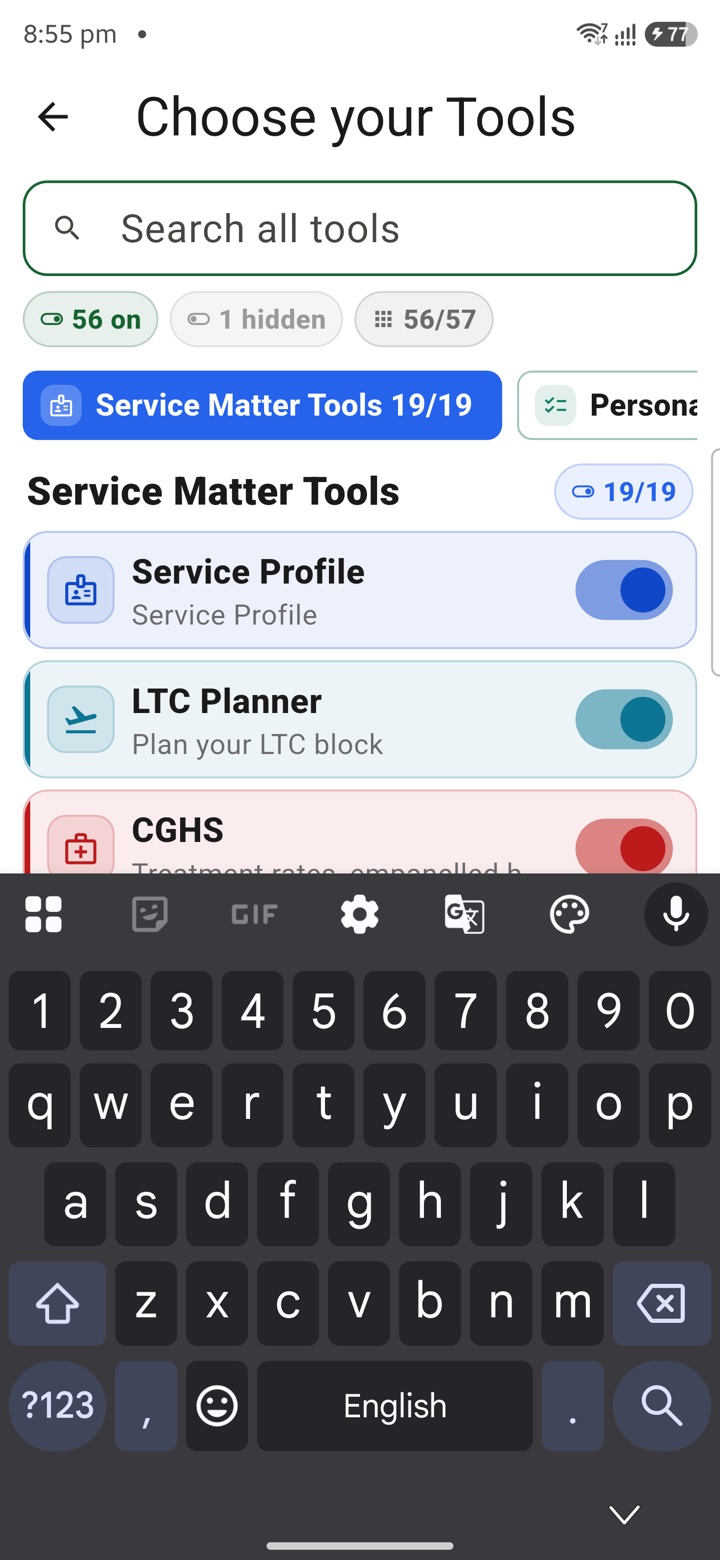
Open a tool from the main catalogue and pin it to the tray from there, or manage the tray directly. When the tray is full at six, pin a seventh only by first unpinning one you no longer need. The limit keeps the tray fast to scan rather than a second cluttered menu.
Your pinned set is a preference stored on the device. Changing it never touches your task or note history, and it carries no official weight — the tray is only a shortcut to tools you already have.
- Pin from a tool's own screen or from tray settings
- Reorder pinned tools so the most-used sits first
- Unpin one to make room when all six slots are taken
- Your selection stays local unless you use optional encrypted sync
Which tools officers pin
The daily few, not the whole catalogue
Officers tend to pin the tools they open on reflex through the working day: quick capture for a note or task before it slips, the inbox where captured items wait to be sorted, and a calendar or holiday view for checking dates against duty windows.
The right six are personal. Someone planning leave keeps the holiday and calendar tools close; someone drafting through the day pins capture and the tools they return to most. Nothing here is prescribed — you pin what your work actually needs.
- Quick capture, so a task or note is logged in seconds
- Inbox, to reach unprocessed captured work fast
- Calendar and holiday views for date and leave planning
- Any of the tools you personally return to most
What it does not do
A shortcut, nothing official
The tray only speeds up how you reach a tool. It does not change what a tool produces, and no tool in it files, submits or records anything with an authorised system. Planning tools produce private drafts and estimates that stay on your device.
For official records, submissions and approvals, use eOffice, HRMS, APAR and the other authorised systems of record. KaryaYogi, and the tray inside it, sit alongside those systems as a private planning aid — never a replacement for them.
- Speeds up access only; tool behaviour is unchanged
- No pinned tool submits or files anything officially
- Drafts and estimates stay private on your device
- Use authorised government systems for the official record
Carry your desk in your pocketअपनी डेस्क, अपनी जेब में
The Android APK below is the legacy direct-download edition. Use it only for an installation originally obtained from this website. Google Play and iOS releases follow separate testing and review tracks.
नीचे दिया गया Android APK पुराना सीधे डाउनलोड वाला संस्करण है। इसे केवल उसी इंस्टॉलेशन के लिए उपयोग करें जो इस वेबसाइट से लिया गया था। Google Play और iOS रिलीज़ की अलग परीक्षण और समीक्षा प्रक्रिया है।
Legacy package in.karyayogi.app · v1.55.59 (8195) · 144 MB · Android 8.0+