Planning & Productivity On Android
JournalJournal
End the day with private reflections, gratitude, pressure notes and service-life prompts that stay outside official records.दिन के अंत में private reflections, gratitude, pressure notes और service-life prompts लिखें जो official records से बाहर रहें।
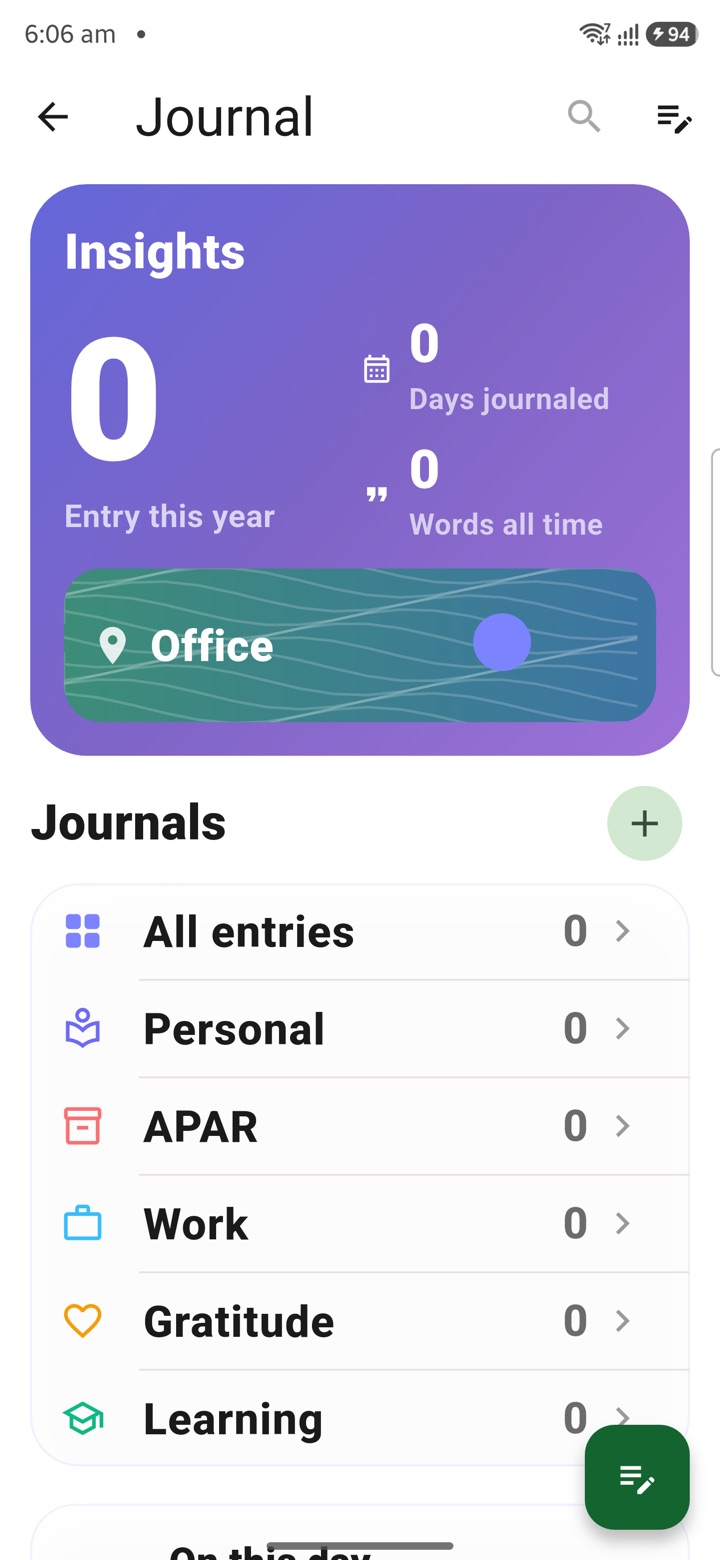
What it does
The tool, in plain terms
Journal gives you a private space to close the day. You can add a short day note, a gratitude entry, a pressure note or a reflection prompt after work, keeping your service-life thoughts in one place that stays outside official records.
You can tag an entry when it helps you recall something later, across tours, reviews or difficult weeks, but tagging is entirely optional and only for your own benefit.
This is a personal reflection tool. By design, official records, classified context, personnel matters and service decisions should be kept out of the journal and handled in the proper authorised channels.
Officer workflow
How an officer uses it
A real sequence — from opening the tool to a private, review-ready draft.
Add a short day note, gratitude entry, pressure note or reflection prompt after work.
Tag the entry only when it helps personal recall across tours, reviews or difficult weeks.
Keep official records, classified context, personnel matters and service decisions outside the journal.
Why it earns its place
What you get out of it
{'eyebrow': 'Private reflection', 'title': 'End the day with private notes, not office records.', 'body': 'Journal is for the human side of service life: what felt difficult, what must be remembered, what deserves gratitude, and what needs calm reflection. It is a private diary, not a file note or personnel record.', 'body_hi': 'Journal service life के human side के लिए है: क्या difficult लगा, क्या याद रखना है, किस बात के लिए gratitude है, और कहाँ calm reflection चाहिए. यह private diary है, file note या personnel record नहीं.', 'points': [{'label': 'Close the day', 'value': 'Write a short private note after meetings, travel, inspection or review pressure.'}, {'label': 'Keep it personal', 'value': 'Use it for memory, gratitude and reflection instead of official record keeping.'}, {'label': 'Protect boundaries', 'value': 'Avoid classified context, personnel details and official decisions.'}], 'chips': ['Daily note', 'Gratitude', 'Pressure note', 'Reflection', 'Private diary']}
Journal
- Working area
- Private daily reflection, gratitude, pressure notes and service-life journaling
- Grade 5 meaning
- Journal is a private diary for how the day felt and what should be remembered.
- Officer context
- Gives officers a personal decompression space after crowded service days, tours and reviews
Straight answers
Questions officers ask about Journal
Yes. Entries stay in your encrypted local vault behind your app lock and are outside official records. They sync only if you enable the optional encrypted cloud plan.
No. Keep official records, classified context, personnel matters and service decisions out of the journal and handle them through authorised channels.
No. Tagging is optional and only for your own recall across tours, reviews or difficult weeks.
In the same shelf
Related tools
Countdowns
Keep important dates visible with private countdowns for APAR windows, tour dates, increment mon
Tasks
Capture meeting, call, inspection and file follow-up as private next actions before the official
Notes
Keep meeting notes, inspection prompts, delegation context and service reminders private until a
Carry your desk in your pocketअपनी डेस्क, अपनी जेब में
The Android APK below is the legacy direct-download edition. Use it only for an installation originally obtained from this website. Google Play and iOS releases follow separate testing and review tracks.
नीचे दिया गया Android APK पुराना सीधे डाउनलोड वाला संस्करण है। इसे केवल उसी इंस्टॉलेशन के लिए उपयोग करें जो इस वेबसाइट से लिया गया था। Google Play और iOS रिलीज़ की अलग परीक्षण और समीक्षा प्रक्रिया है।
Legacy package in.karyayogi.app · v1.55.59 (8195) · 144 MB · Android 8.0+