Planning & Productivity On Android
Monthly Bird-Eye ViewMonthly Bird-Eye View
See holidays, tasks, countdowns, leave, LTC, travel, transfer and APAR in one month view.Holidays, tasks, countdowns, leave, LTC, travel, transfer और APAR को one month view में देखें।
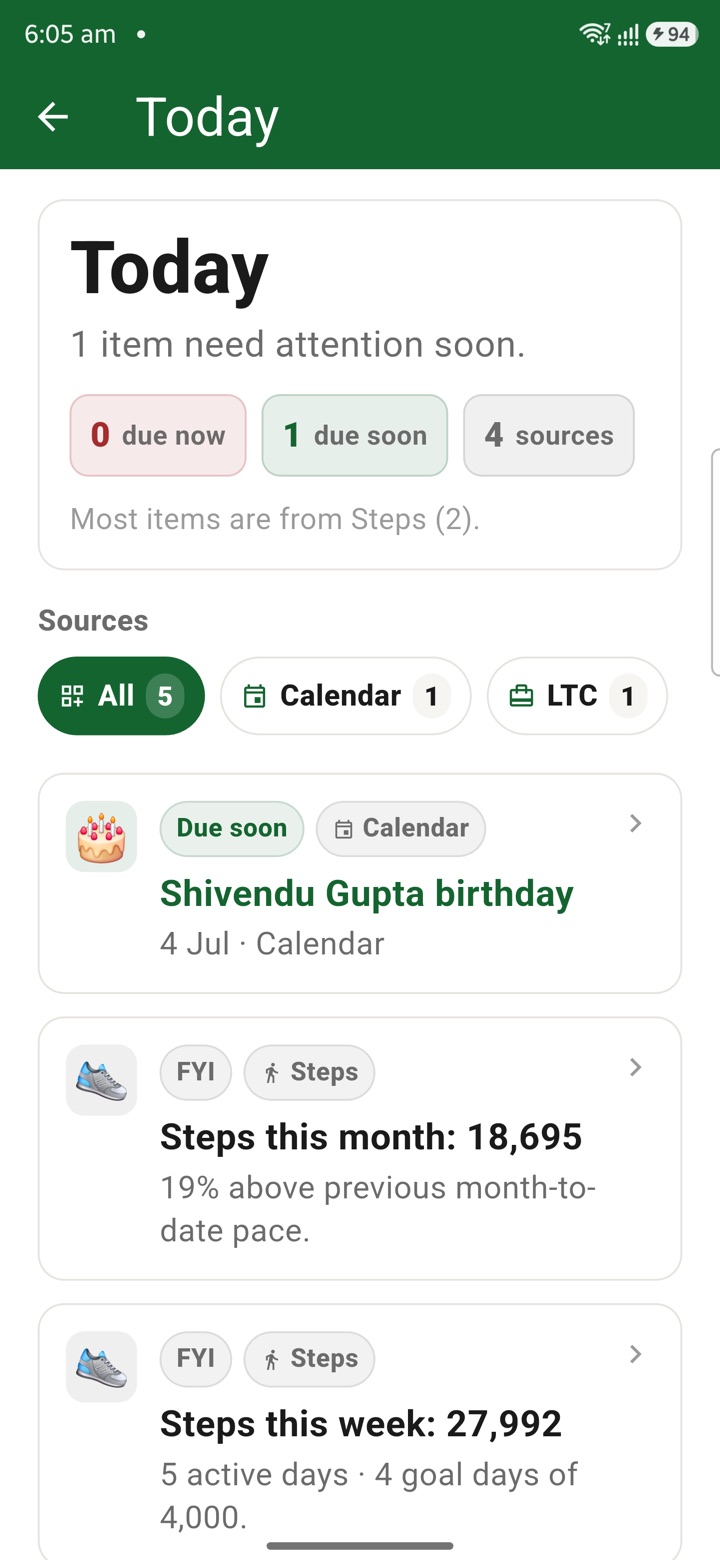
What it does
The tool, in plain terms
Monthly Bird-Eye View brings your month together in a single screen. Holidays, tasks, countdowns, leave, LTC, travel, transfer and APAR items appear in one place, so you can see how the month is shaping up at a glance.
You can add tags, timing or context to the items you track, keeping the month view organised for private follow-up rather than scattered across separate lists.
The month view is a private planning overview. It helps you return to the right task, note, file or meeting with the next action visible, while official records stay in your authorised systems.
Officer workflow
How an officer uses it
A real sequence — from opening the tool to a private, review-ready draft.
Capture the work item, note, date or contact before it is lost in the day.
Use Monthly Bird-Eye View to add tags, timing or context for private follow-up.
Return to the right task, note, file or meeting with the next action already visible.
Why it earns its place
What you get out of it
Monthly Bird-Eye View
- Working area
- Planning & Productivity
- How it operates
- Capture the item quickly, attach dates, tags or context, then move it into the relevant private follow-up view before official work continues elsewhere.
- Screen proof
- Full Android screenshot framed on this page
- Best for
- Private planning for central government employees, officers, IAS officers and civil servants
Straight answers
Questions officers ask about Monthly Bird-Eye View
It brings together holidays, tasks, countdowns, leave, LTC, travel, transfer and APAR items in one month view for planning.
No. It is a private planning overview. Your official leave, LTC and APAR records remain in the authorised systems your office uses.
Yes. It is built from data on your device and works offline. It syncs only if you turn on the optional encrypted cloud plan.
In the same shelf
Related tools
Countdowns
Keep important dates visible with private countdowns for APAR windows, tour dates, increment mon
Tasks
Capture meeting, call, inspection and file follow-up as private next actions before the official
Notes
Keep meeting notes, inspection prompts, delegation context and service reminders private until a
Carry your desk in your pocketअपनी डेस्क, अपनी जेब में
The Android APK below is the legacy direct-download edition. Use it only for an installation originally obtained from this website. Google Play and iOS releases follow separate testing and review tracks.
नीचे दिया गया Android APK पुराना सीधे डाउनलोड वाला संस्करण है। इसे केवल उसी इंस्टॉलेशन के लिए उपयोग करें जो इस वेबसाइट से लिया गया था। Google Play और iOS रिलीज़ की अलग परीक्षण और समीक्षा प्रक्रिया है।
Legacy package in.karyayogi.app · v1.55.59 (8195) · 144 MB · Android 8.0+